Moving your PDM to the cloud: what sales reps will never tell you before you sign
Published May 28, 2026, updated September 28, 2026 — the cloud promise is beautiful: no server, access anywhere, automatic updates. It's also partly true. Here are the 5 blind spots and the 7 questions to ask before signing for three years.
Let me be clear up front: I'm neither pro-cloud nor anti-cloud. I've migrated clients to the cloud who love it, and I've held others back from the edge. What bothers me isn't the cloud — it's how it's sold. A 3DEXPERIENCE or SaaS PDM demo is thirty minutes of magical fluidity. It's all true. And it's all incomplete.
Because what the demo never shows is what happens after you sign: the day your fiber goes down, the month you get the bill for the real number of users, the year you want your data back. Those moments aren't accidents. They're structural features of the model, and you have the right to know them before committing for three years.
So here are the 5 blind spots, no spin — followed by the 7 questions that will make any honest sales rep go pale (and the others run). Save the 5th question for last: it changes everything, and nobody asks it.
What the cloud genuinely delivers: no physical server to host and back up, native remote access, updates handled by the vendor, simplified multi-site collaboration. These benefits are real. This article doesn't deny them — it completes the picture.
Short answer: moving your PDM to the cloud often makes sense for a young, multi-site organization with no IT department and little file history. For an established engineering office, with a working on-premise vault, ERP integrations and confidentiality-minded customers, the decision rests on a 5-year total cost and on written answers to the 7 questions below, not on the demo.
Blind spot 1 — Dependence on your connection
With on-premise PDM, if the internet goes down, engineering keeps working: the vault is on the local network. With full-cloud PDM, your connection becomes your engineering office. A cut fiber, an ISP outage, and the whole design team is stopped — not slowed: stopped.
It's not a deal-breaker, but it changes your requirements: redundant internet (two ISPs, 4G/5G failover), the vendor's SLA, and a clear understanding of what stays possible in degraded mode. The question isn't "does it happen?" but "how much does it cost me when it does, and have I planned for it?".
Blind spot 2 — The real 5-year cost
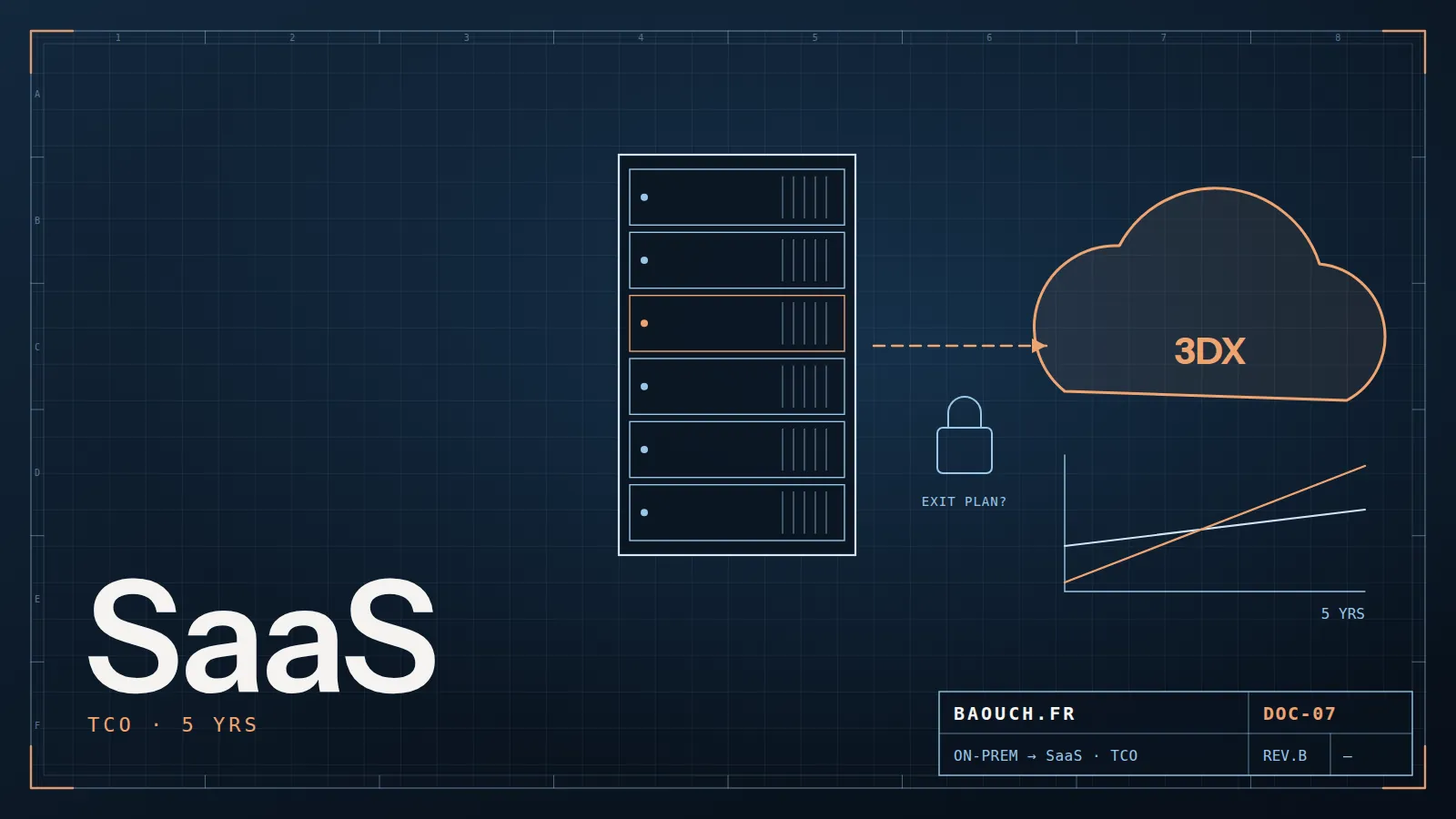
The comparison you're shown: "a server + perpetual licenses + maintenance vs an all-inclusive monthly subscription." In year one, the cloud almost always wins. Over five years, the math often flips — and that's rarely in the demo.
This chart is illustrative — your numbers depend on your user count and its growth. But the principle holds: a subscription follows your growth (more engineers = more cost, forever), whereas an on-premise investment amortizes. Run your own 5-year TCO, not a 12-month one.
The grid: the items to cost over 5 years, on both sides
Ask for a figure on every line, year by year, using the headcount planned in five years rather than today's. A line left empty in either column is a hidden cost. Ranges for the "on-premise" column are detailed in what a SOLIDWORKS PDM project really costs.
Blind spot 3 — Data reversibility
Here's the question that hurts most when forgotten. Your drawings, your BOMs, your revision history, your workflows: in a cloud PDM, they live at the vendor's, in the vendor's format. The day you want to change solutions, how do you get all of it back, in a usable format?
The question to ask isn't "how do we get in?" — vendors love answering that. It's "how do we get out?". A vendor who clearly documents a full export of your data, history included, in an open format, is one you can trust. A vendor who stumbles on that question just gave you your answer.Mohamed Omar Baouch
Lock-in isn't a theory: it's the business model. It's not immoral in itself, but you must factor it in and negotiate it before signing, never after.
Blind spot 4 — Sovereignty and hosting
Where are your files physically stored? In which country, under which jurisdiction? For an engineering office working for defense, aerospace, medical or major clients, this isn't a detail: it's sometimes a non-negotiable contractual clause from their own customers.
- Data location — EU, outside the EU, sovereign cloud?
- Encryption — at rest and in transit, and who holds the keys?
- Compliance — GDPR, and for some sectors, ITAR/EAR requirements or equivalents.
Many SMEs discover this topic after migrating, when a client imposes it on them. Handle it upfront: it's easier to negotiate before signing than to fix afterwards.
Blind spot 5 — It's not just a technical migration
The costliest mistake: thinking you're "just moving the vault elsewhere." A platform like 3DEXPERIENCE doesn't replicate your PDM identically in the cloud — it offers a different paradigm: data in a single database, a "maturity" concept instead of classic states, real-time collaboration. Your habits, your scripts, your ERP integrations: everything must be rethought.
Sometimes it's an excellent chance to clean up inherited practices. But it's a change-management project, not a simple lift-and-shift. Underestimating it is the surest way to turn good technology into team rejection.
The 7 questions to ask before you sign
Print them. Ask them plainly, in the meeting, and write the answers down. The quality of the answers will tell you more than the entire demo.
- Reversibility: how do we recover all our data (files + metadata + history) if we leave, and in what format?
- 5-year cost: what's the total price for our current headcount and for +50% users?
- Degraded mode: what can we do when the connection drops? Is there a local cache?
- Hosting: where are our data physically, and can we impose it by contract?
- ERP integration: how does the cloud PDM → our ERP link actually work, and who maintains it? (the question people don't dare ask — and the one that derails the most projects)
- SLA: what guaranteed uptime, and what compensation in case of outage?
- Migration: who migrates our existing data, using what method, and what is not migrated?
My honest position: the cloud is often right for a young organization with no legacy, multi-site, with no IT department. It's much less so for an established engineering office with a working on-premise PDM, mature ERP integrations and sovereignty constraints. In between, it's a calculation — not a decision made on a demo.
You now have the five blind spots and the seven questions. You're no longer the spectator of a demo: you're the buyer who knows where to look. And a buyer who knows where to look always gets a better contract — or avoids the bad one.
Frequently asked questions
Is cloud PDM cheaper?
Up front yes, over time not necessarily. You swap a server investment for a permanent subscription: run the numbers over five years, not over the first invoice. On the other hand you do remove very real hidden costs — administration, backups, hardware renewal.
What happens if the connection drops?
That's the question to ask before signing, not after. Depending on the solution, offline work is possible or not, and recovery more or less clean. For a production site, the quality and redundancy of the internet link become an operations question, not an IT one.
Who owns my data in the cloud?
You do — but the real question is reversibility: in what format, how quickly and at what cost can you get everything back if you leave? Have the answer written into the contract, and test the export once a year.
Should you migrate everything at once?
No. As with any migration, a pilot scope first — one product family, one team — then batches. That surfaces the real friction while it's still cheap to fix.
How do you compare the cost of on-premise and cloud PDM?
Cost the same seven items on both sides, year by year over five years: software, server and database, backup and operations, network, implementation, ERP integration, exit. Use the headcount planned in five years: that's what grows the subscription.
Is moving from SOLIDWORKS PDM to 3DEXPERIENCE just relocating the same vault?
No. SOLIDWORKS PDM manages files in a vault, with workflows and states you configured. 3DEXPERIENCE stores data in a single database and tracks its lifecycle through maturity states. Scripts, workflows and integrations must be redone: it's a change project, not a simple transfer.