SOLIDWORKS PDM: understand PDM and choose between Standard and Professional
Published July 8, 2026 — what a PDM really is, why SOLIDWORKS PDM is the backbone of the mechanical engineering office, and how to choose between the two editions without getting it wrong.
"We manage fine, we have our network folders." I hear it at every first meeting. Then we open the server: Cylinder_final.sldprt, Cylinder_final_V2.sldprt, Cylinder_final_OK_good.sldprt, three people editing the same assembly at once, and a drawing sent to the supplier that no longer matches the part. It's not a discipline problem: it's a tooling problem. A growing engineering office cannot survive on shared files.
The answer is a PDM, and in the SOLIDWORKS world it has a precise name: SOLIDWORKS PDM, in two editions — Standard and Professional. This article explains what a PDM really is, what SOLIDWORKS PDM concretely brings, then compares the two editions so you know which one fits you. It's the guide I wish I'd handed every client before each project.
In one sentence: a PDM is a vault that guarantees there is only one "true" version of each file, that nobody overwrites it, and that its history is traceable. Everything else follows from that.
1. What is a PDM, really?
PDM stands for Product Data Management. It is not a mere document management system: a PDM understands the structure of CAD files. It knows that an assembly references parts and sub-assemblies, that a drawing is linked to a 3D model, and it manages those links automatically. Three fundamental functions define it:
The vault
- A central, secured repository: files no longer live on workstations or an open network folder.
- Access rights: who can view, edit, approve what.
- One single source of truth, period.
Locking (check-in / check-out)
- You "check out" a file to edit it: it's locked for others.
- You "check in": a new version is created, the old one kept.
- No more overwriting each other's work.
The third function is versioning with reference management. Every save creates a version (1, 2, 3…); approval creates a revision (A, B, C…). And crucially: when you open an assembly, the PDM automatically fetches the right version of each linked component. It's this CAD-link management that separates a real PDM from mere file sharing. As for when a change deserves a new revision rather than a new part number, see the interchangeability rule and the ECR/ECO process.
The test I run at every prospect: "open the latest approved version of this assembly, and tell me who last changed it and why." Without a PDM, it takes ten minutes and a doubt. With one, it's two clicks and a certainty.Mohamed Omar Baouch
2. SOLIDWORKS PDM in practice
SOLIDWORKS PDM (formerly Enterprise PDM / EPDM) is Dassault Systèmes' PDM natively integrated with SOLIDWORKS. Its key strength: it lives inside Windows Explorer and in a tab directly within SOLIDWORKS. The engineer doesn't switch tools — they work in their usual environment, with the vault on top. Concretely, it brings:
- A local cache + archive server: each workstation works on a local cache, the server stores the physical files; transfers are optimized.
- Data cards: forms that capture properties (material, revision, description…) directly into the files, feeding title blocks, BOMs and, later, the ERP.
- Workflows: states (In progress → In review → Approved → Obsolete) with transitions, permissions and automatic actions (bump the revision, notify, export a PDF).
- Search: find a part by reference, material, project — in seconds, where the filing cabinet took minutes.
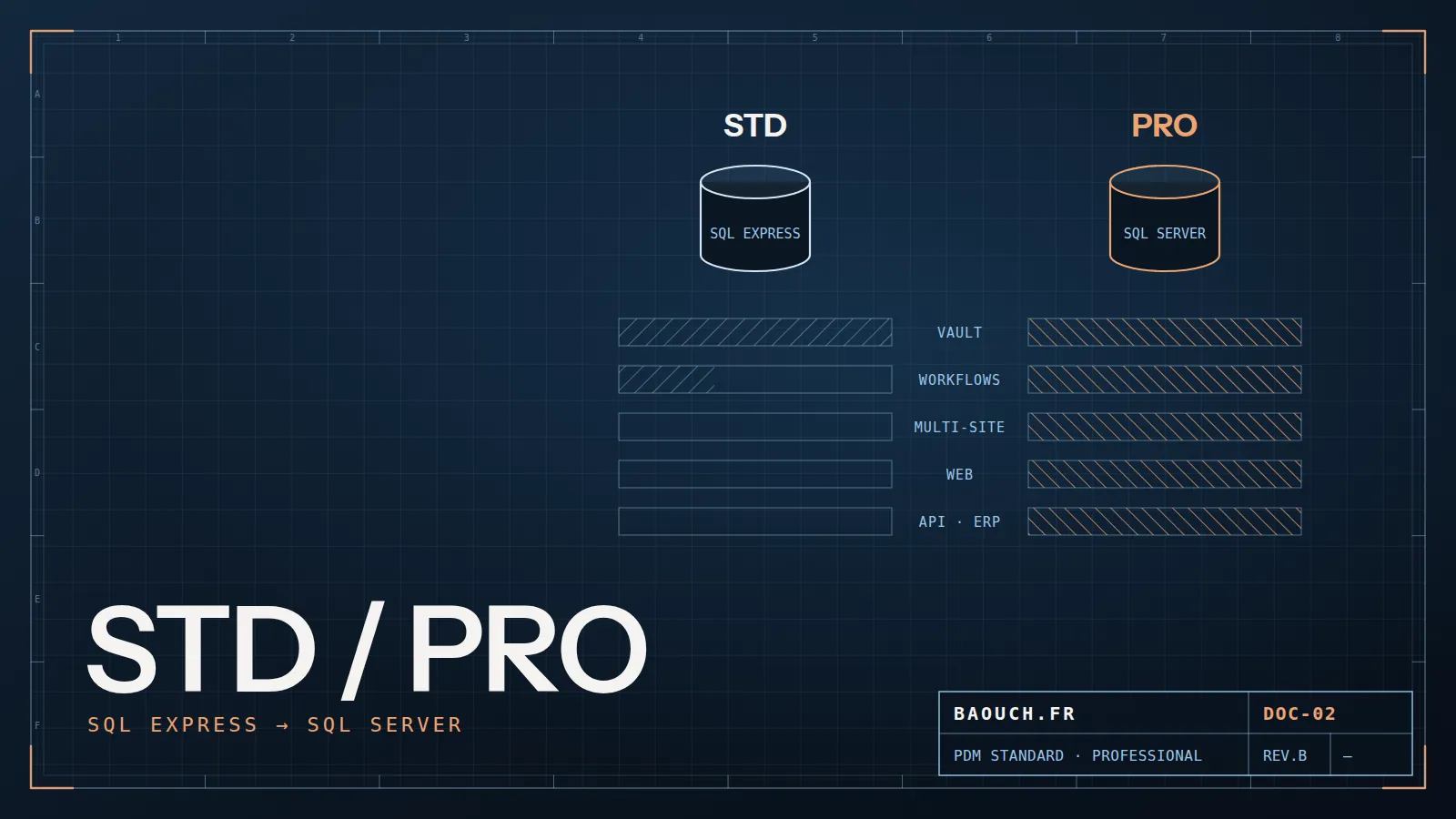
This common foundation is shared by both editions. The difference between Standard and Professional isn't about "the vault" — both have it — but about the power of workflows, remote collaboration and openness (API, web, advanced BOMs).

3. The Standard edition — the foundation, to get started
SOLIDWORKS PDM Standard ships with SOLIDWORKS Professional and Premium (per-seat license). It's the ideal entry point for an engineering office that wants to secure its data without heaviness. It covers the essentials:
What Standard does very well
- Secured vault, versions and revisions
- Check-in / check-out, CAD reference management
- Data cards and properties
- One workflow with states and transitions
- SOLIDWORKS, DraftSight, MS Office integration
Its limits (by design)
- SQL Server Express database (~10 GB cap, single instance)
- A single workflow, limited number of states
- No multi-site replication, no Web client
- No API, no advanced named BOMs
For whom? A single-site team, say up to ~15-20 users, with a simple approval process. Many SMEs start here — and Standard is enough for a long time. You can migrate to Professional later without starting over: the vault is compatible.
4. The Professional edition — power and openness
SOLIDWORKS PDM Professional is a separate license (CAD and non-CAD), built on SQL Server Standard (not Express). It lifts the Standard caps and unlocks capabilities that mature organizations demand:
- Multiple, complex workflows: one flow for design, another for quality documents, a third for change requests (ECR/ECO).
- Multi-site replication: an archive server replicated on each site, so distributed teams work fast on their local copy.
- Web and Web2 client: review and approve from a browser, without installing the thick client — useful for management, purchasing, subcontractors.
- API: automate, integrate with the ERP, build custom add-ins (the gateway to the PDM Gateway and ERP connectors).
- Named BOMs and advanced item management, essential to drive the eBOM toward production.
- Task processing (Task add-in): automatic PDF/DXF conversion, printing, on check-in.
Switching to Professional isn't justified by "more features" but by a precise need: a second site, an ERP integration, a standardized quality flow, or export automation. As long as none of these needs exists, Standard is the right choice — and the cheaper one.Mohamed Omar Baouch
5. Standard vs Professional comparison
6. How to choose without regret — 5 questions
Forget the feature list. Answer these five questions: each "yes" pushes toward Professional. Zero or one "yes" → Standard is enough.
- Do you have multiple sites that must work on the same vault without latency? (replication)
- Do you need to integrate the PDM with an ERP (SAP, Sage, Cegid…) or automate processing? (API)
- Do you need several distinct processes (design, quality, ECO) with their own rules? (multiple workflows)
- Do non-CAD actors (management, purchasing, subcontractors) need to review/approve from a browser? (Web client)
- Do you drive BOMs that must be named, frozen and passed to production? (Named BOM)
My field advice: don't over-buy. Many SMEs pick Professional "to be safe" and use only the vault — that is, Standard, paid more. Start from the real need; since the vault is compatible, moving up to Professional happens seamlessly the day a genuine trigger appears.
Whether you start with Standard or Professional, the success factor is never the edition: it's the data migration, the configuration of cards and workflows, and change management. A perfectly licensed but poorly deployed PDM is just a disguised network folder. That's where the return on investment is decided.
Frequently asked questions
What's the difference between PDM Standard and Professional?
Standard covers a single site, a limited number of users and simple workflows. Professional adds multi-site replication, non-CAD users at scale, automated tasks (PDF conversion, printing), ERP integration and elaborate workflows.
Is PDM Standard included with SOLIDWORKS?
Yes, with the Professional and Premium editions. Many companies therefore have a vault they've already paid for and never deployed — the first thing to check before requesting a quote.
Can you move from Standard to Professional later?
Yes, the upgrade path exists and the data is preserved. But your initial choices — numbering, properties, workflow structure — travel with you: better to get them right from the Standard vault onward.
How many users before moving to Professional?
The count matters less than the usage. Two sites to synchronise, or heavy consultation by non-designers, justify Professional well before any user threshold is reached.