SOLIDWORKS numbering & properties: the small project that fixes your whole BOM → ERP chain
Published June 10, 2026 — you're looking for the source of your BOM errors in the ERP. It's not there. It's in the part, the moment the engineer names it.
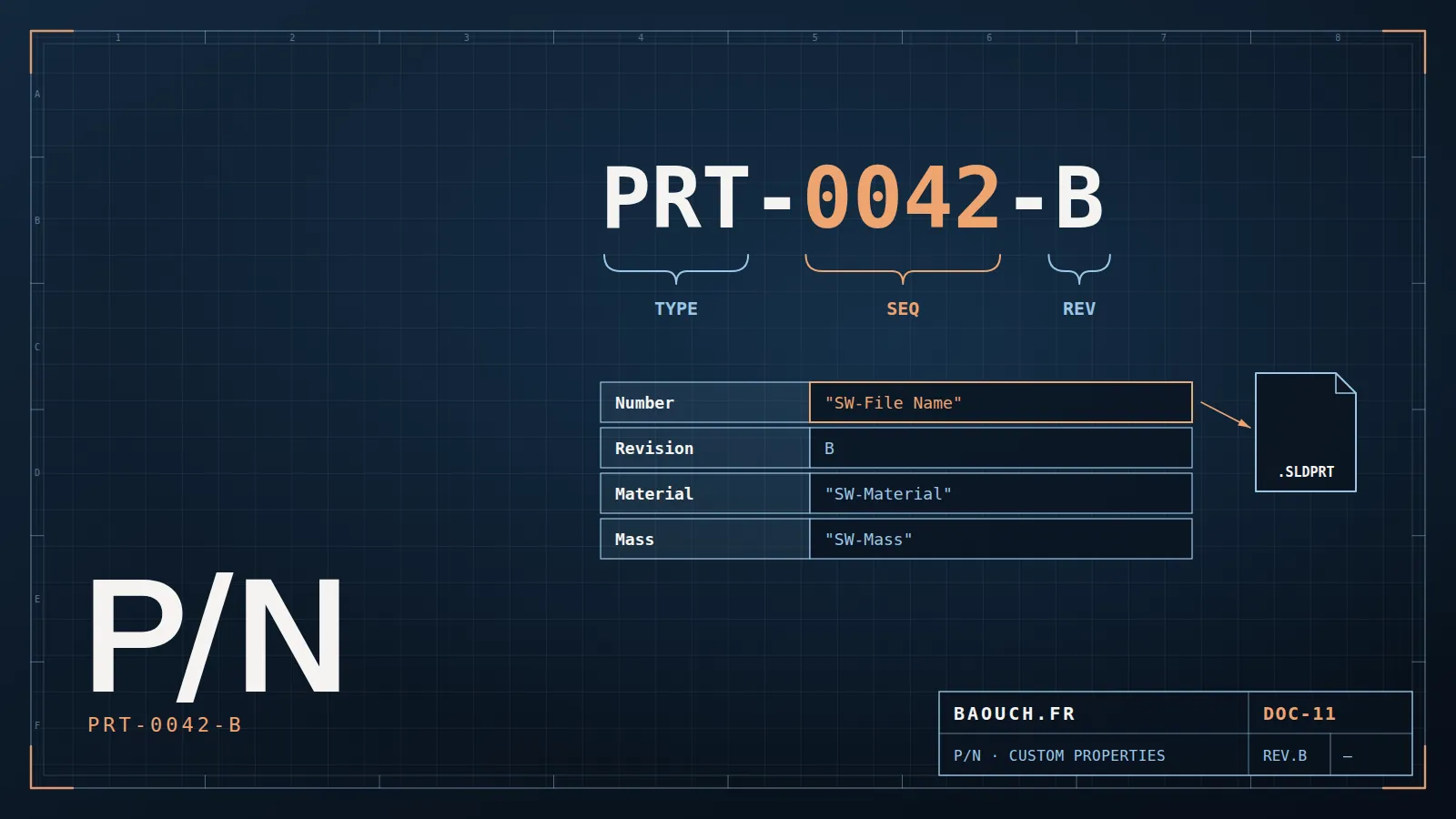
I'm almost always called for a problem "at the bottom of the chain": the ERP BOM is wrong, stock matches nothing, we buy parts we already have. And almost always, after a day of audit, I trace it to the same origin: how parts are named and filled in inside SOLIDWORKS. Not the ERP. Not the connector. The part itself, the second an engineer clicks "Save As."
It's frustrating to hear, because it means today's costly problem comes from a trivial gesture two years ago. But it's also excellent news: if the root is at the top of the chain, then a fix at the top repairs everything below it. Two hours to lay the foundation, and months of errors evaporate.
I'll show you the three pillars of that foundation, in the order I install them. The third — automation — is the one that turns good intentions into a habit nobody can bypass.
A 30-second test: open your ERP and search for "bracket." How many results? If you find "Bracket", "SS bracket", "BRACKET-01" and "corner support" for the same part, you already have your diagnosis. Every duplicate is an extra purchase waiting to happen.
Pillar 1 — Part numbering
Every part needs a unique, stable and unambiguous identifier. The big question, the one debated in every engineering office: meaningful or sequential part numbers?
Meaningful numbering
The number encodes the information: MEC-SCR-M8x20-SS. Human-readable, but fragile: what happens when the part changes material or category? The number lies, or you create a new one for nothing.
Sequential numbering
A plain unique number: P-100427. Silent to humans, but indestructible: the part can evolve, its number never moves. The information lives in the properties, not the name.
After 100+ projects, I almost always recommend silent sequential numbers, with all the intelligence carried by the properties. Meaningful numbers look handy on day one, and become a trap the day the product changes. One part, one number, for life — and everything else is metadata you can evolve without breaking anything.Mohamed Omar Baouch
Whichever side you pick: what kills you is the absence of a rule. A mediocre numbering scheme everyone follows beats a perfect one everyone interprets their own way.
Pillar 2 — Custom properties
Custom properties are the data the part carries with it: description, material, supplier, revision, mass, surface treatment. They feed the drawing title block, the SOLIDWORKS BOM, the PDM data card, and ultimately the ERP BOM. They are the source of truth flowing through the whole chain.
The recurring problem: everyone enters them their own way. "Steel", "steel", "STEEL", "S235", "stainless" (but which one?). Each variant breaks a filter, distorts a purchasing group, creates a false duplicate. The cure comes down to two principles:
- A mandatory, fixed property list — the same fields for every part, defined once and for all.
- Values constrained by drop-downs — no free text where a list can exist. You don't type "stainless," you pick it.
SOLIDWORKS provides the native tool for this: the Property Tab Builder, a custom form displayed on the right of the screen that enforces the right fields with the right lists. It's the mandatory step to stop the bleeding.
Mass is the textbook case: it must be linked to the value SOLIDWORKS computes, never typed, and is only right if every part carries its material — otherwise SOLIDWORKS uses 1,000 kg/m³ by default. The material densities and mass calculator reference gives the values to check against.

Pillar 3 — Automating data entry
Here's the pillar that separates "we wrote a procedure nobody follows" from "it became impossible to do it wrong." As long as naming a part well relies on goodwill, it fails on a busy day. The solution: make good practice automatic and bad practice impossible.
- Auto-assigned part number — via the PDM (serial numbers), the engineer no longer chooses the number: the system does. Zero duplicates, zero personal logic. Deciding when a change deserves a new number rather than a new revision: see the interchangeability rule.
- Property Tab Builder + default values — critical fields are pre-filled where possible, list-constrained otherwise.
- Checks at approval — a PDM workflow that refuses the transition to "Approved" while any mandatory property is empty.
- Starter templates — part, assembly and drawing templates already carry the property structure. You start clean instead of catching up.
This chart shows a typical case, but the order of magnitude is constant: when data entry becomes automatic and constrained, incidents collapse. Not because people become more rigorous — but because they're no longer asked to be.
The leverage across the whole chain
Go back to your "bracket" test. Now imagine the same search after this project: one unique number, a standardized description, a material chosen from a list. One result. One purchase. A stock that tells the truth. It's also the raw material for any AI in the engineering office: see what AI really changes in SOLIDWORKS PDM and the grid to check whether your data is ready.
That's the leverage. A well-born part propagates cleanly:
- The drawing title block is correct, automatically.
- The SOLIDWORKS eBOM is consistent, with no manual cleanup.
- The PDM data card is complete, searches work.
- The BOM sent to the ERP arrives clean — the connector no longer has to guess.
- Purchasing groups, compares, and stops duplicating.
The hierarchy to remember: you don't fix data quality at the end of the chain, in the ERP, through endless cleanups. You decide it at the top, at the part. Two hours to lay the foundation are worth more than six months of downstream correction. It's the best return on investment in the whole field.
So before launching yet another cleanup of your ERP database, ask yourself the only question that matters: where do these errors really come from? Nine times out of ten, the answer lies in a part's first "Save As." Fix that gesture, and you'll never have to repair the same thing twice.
Frequently asked questions
How should you number parts in a design office?
A short, non-meaningful, non-reusable identifier, assigned automatically. The temptation of a talking code — material, family, customer inside the number — always backfires the day a part changes family: the identifier becomes wrong and you can't fix it without breaking history. Put the information in the properties, not in the number.
Talking code or sequential number?
Sequential, in the vast majority of cases. Talking codes feel reassuring at first, then become unmanageable: every exception needs arbitration, lengths explode, and nobody actually reads them once property-based search is in place.
Which custom properties are essential?
At minimum: description, material, revision level, and document state. Then add whatever your title block and ERP genuinely consume — nothing more. Every unused property is a field someone will fill carelessly.
Can numbering be fixed after the fact?
Yes, but the cost grows with volume and age. A rework is run like a migration: freeze the rules, map old to new, process in batches, verify. It's doable, never free — hence the value of deciding before go-live.