AI and SOLIDWORKS PDM: what actually changes for engineering teams in 2026
Published July 10, 2026, updated September 27, 2026 — design copilots, semantic search, auto-classification, documentation assistants: sorting what already works, what's coming, and what will remain marketing. With the only truth that matters: no clean data, no useful AI.
You can't open LinkedIn without reading that AI will "revolutionize CAD". Meanwhile, in the engineering offices I work with, the question asked is more down-to-earth: "concretely, what can I do with it this year, with my data and my budget?". That's exactly the question this article answers.
My position, after 100+ PDM projects: useful AI in the engineering office is already here, but not where people look for it. It's not (yet) in the part that designs itself. It's in search that understands what you mean, the data card that fills itself in, the BOM checked automatically, and the assistant that answers "how do we do… again?" in place of the expert colleague who retired.
In one sentence: AI won't replace your engineering office — but it makes leaving your CAD data in disarray inexcusable, because that data is its fuel.
1. 2026: where AI really stands in the SOLIDWORKS ecosystem
Dassault Systèmes is pushing its AI assistants on the 3DEXPERIENCE platform (generative companions, modeling aid, automation of repetitive tasks), and each SOLIDWORKS release ships more assistance: smart selections, sketch repair, feature suggestions. In parallel, a whole ecosystem of third-party tools has been built around data: geometric similarity search, property extraction, documentation agents.
But let's be honest about the geography of this innovation: most of the "spectacular" AI features live on the 3DEXPERIENCE cloud, not in SOLIDWORKS desktop + on-premise PDM, which remains the majority setup of industrial SMEs. For these teams, the real question isn't "when will I get a design copilot?" but "what can I plug into my PDM vault today?". And there, there's already plenty to do.
Where AI lives today, and what it requires
SOLIDWORKS features and AURA access conditions: per the GoEngineer reseller overview; check exact availability for your version and contract.
2. Case #1 — Search that understands intent, not words
The most universal PDM problem: you only find what you know how to name. If the part is called "engine bracket" and you search "mounting plate", classic search returns zero results — and an engineer redesigns a part that already exists. Typical observed cost: several hours per week per person, and duplicates that will pollute the vault for years.
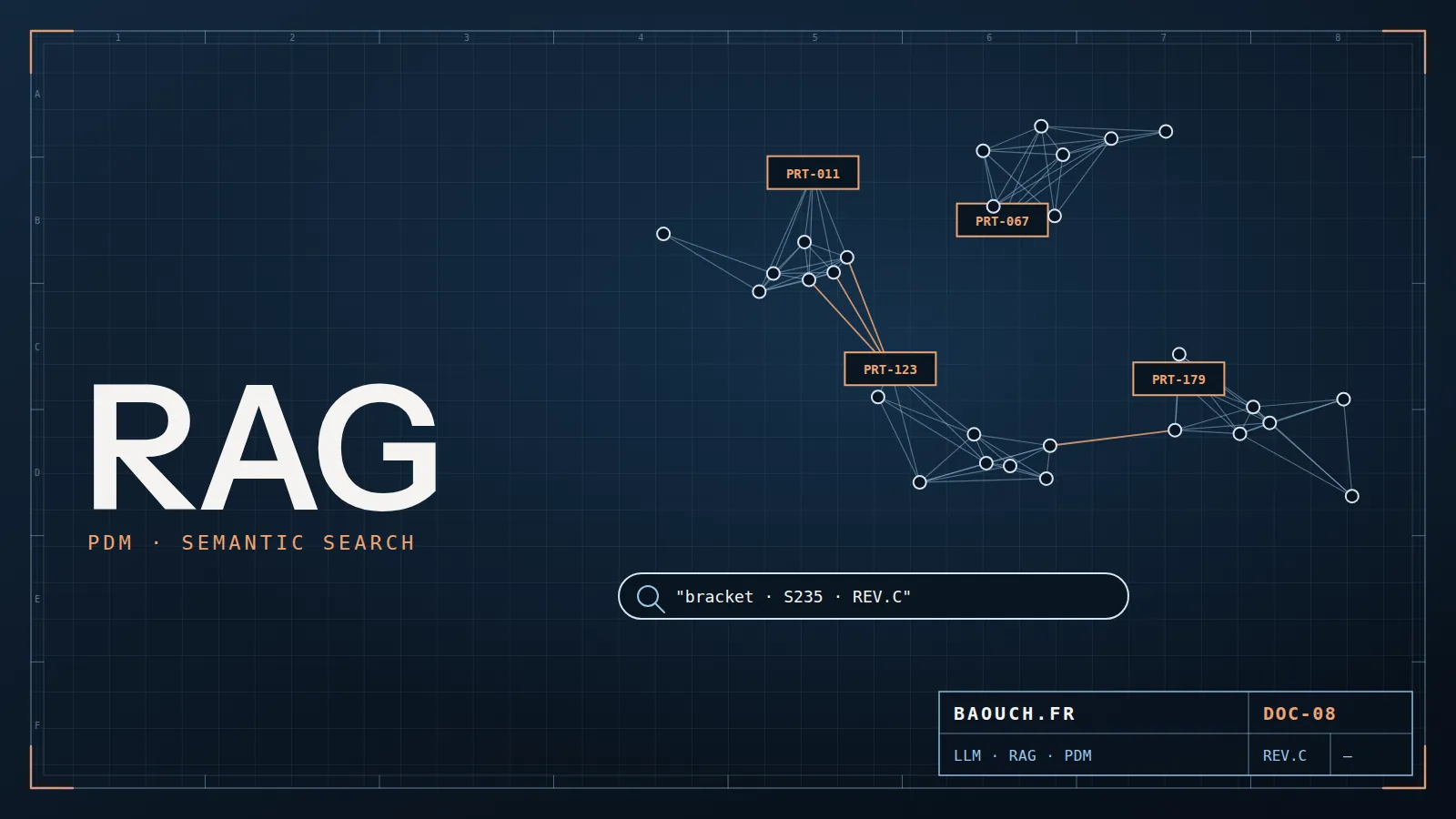
This is AI's first concrete contribution: semantic search (embeddings) understands that "engine mounting plate" and "engine bracket" mean the same thing, and geometric similarity search finds nearby parts by their 3D shape, regardless of naming. Both technologies are mature, available, and plug into an existing PDM vault.
This site's assistant works exactly that way: ask it a question with zero technical keywords — "my colleagues overwrite my work" — and it understands it's about check-in/check-out. The same mechanics, plugged into your vault, changes an engineering office's life.Mohamed Omar Baouch
3. Cases #2 & #3 — Auto-filled properties and assisted deduplication
Case #2: classification and property extraction. A trained model recognizes that a file is a fastener, a bent sheet-metal part or a profile, reads the material from the model, infers the description — and pre-fills the data card. Humans validate instead of typing. On a 100,000-file data migration where 60% have empty or inconsistent properties (a real and frequent case), it's the difference between a migration project taking months of data entry… and weeks of validation.
Case #3: deduplication. Cross geometric similarity with metadata similarity and you get a list of probable duplicates ranked by confidence. It's the tool I would have dreamed of on my first data migrations: the cleanup that took weeks of manual expertise becomes a guided review. Beware though: the merge decision stays human — two geometrically identical parts can play different roles (material, treatment, criticality).
4. Cases #4 & #5 — Documentation assistants (RAG) and continuous QC
Case #4: the assistant that has read all your documentation. The technique is called RAG (Retrieval-Augmented Generation): a language model answers questions grounded in your documents — internal procedures, standards, SOLIDWORKS PDM documentation, project history. "What's the release procedure for a customer drawing?", "how do we manage revisions on cast parts?": the assistant answers with the source cited, instead of the question interrupting the local expert — or going unanswered once they're gone.
Case #5: continuous data quality control. An agent that runs overnight and flags: title block inconsistent with the data card, a BOM referencing a part that no longer exists, a drawing not rebuilt after the 3D changed, a missing material property on a part in "Approved" state. Each of these checks already existed as scripts; AI makes them accessible without development, and able to handle the fuzzy language of descriptions.
5. The prerequisite everyone skips: your data quality
Here's the part AI vendors don't put in their slides. All the use cases above run on the same fuel: structured, reliable data. A PDM vault with filled-in cards, respected workflows, clean revisions. If your files live on a network share with properties embedded in the filename (bracket_V2_SS_final_OK.sldprt), AI has nothing to read — or worse, it reads wrong data and answers wrongly with confidence.
AI-ready
- PDM vault with populated data cards
- Reliable revisions and workflow states
- BOMs managed in the tool, not in Excel
- Single source of truth (not 3 parallel servers)
Not ready (and it's fixable)
- Properties embedded in filenames
- "The latest version is the one from Tuesday's email"
- Uncontrolled duplicates, broken references
- BOMs re-typed by hand into the ERP
Self-assessment grid: what each use case reads in your vault
Before comparing AI offers, run these five checks in your vault. Each one uses PDM search or a query on its database; if it reveals the warning sign, the priority is the data, not the tool. How to fix properties is covered in SOLIDWORKS numbering and properties, and how to take over a legacy file stock in migrating data to SOLIDWORKS PDM.
The good news: the path to "AI-ready" is exactly the same as the path to a well-deployed PDM. Nothing is wasted: every euro invested in structuring data pays twice — today in productivity, tomorrow in AI capabilities.
6. A pragmatic roadmap for the next 12 months
- Quarter 1 — Audit your data. Card completion rate, duplicates, revision consistency. This diagnosis sizes everything else, and it's a useful deliverable even without an AI project.
- Quarter 2 — Fix the foundation. Well-configured PDM, mandatory cards on key states, respected workflows. Use auto-classification to catch up on the existing stock rather than re-typing everything.
- Quarter 3 — One visible first use case. Semantic search or the documentation assistant are the best candidates: immediate benefit for everyone, low risk, no change to the design process.
- Quarter 4 — Measure and extend. Search time saved, duplicates avoided, questions handled by the assistant. These numbers — not promises — will unlock the next step's budget.
And the design copilot that models the part for you? It's progressing fast, and it's worth tracking. But the day it matures, it will need the same thing as everything else: your clean data. The teams that do this groundwork first will take the lead — the others will feed their AI with chaos.
The question is no longer "should we bring AI into the engineering office?" but "does my data deserve an AI yet?". In 80% of the SMEs I meet, the honest answer is: not yet — and that's an action plan, not a fate.Mohamed Omar Baouch
Frequently asked questions
Can AI design a part for me?
Not in a real industrial context, no. What works today is assistance: similarity search, classification, property extraction, documentation help. The design decision, its constraints and its accountability remain human.
What's the prerequisite for using AI on your technical data?
Clean, structured data. An AI trained or queried on a messy file base produces messy answers, faster and more confidently. Numbering and properties therefore come before any AI project — the prerequisite almost everyone skips.
Is semantic search actually worth it?
It's the most mature and cost-effective use today: finding an equivalent part already designed avoids recreating it, with everything that entails in references, stock and purchasing. Provided the metadata exists.
Does my data leave for the vendor?
A question to ask explicitly before signing, and to have written into the contract: where data is processed, whether it feeds training, and what happens at contract end. For drawings under customer NDA, this point is not negotiable.
Which AI features are already built into SOLIDWORKS?
On the desktop, assistance that runs locally: Command Predictor (next command suggestion), selection accelerators, sketch relation repair, fastener recognition, mate reference repair. On the 3DEXPERIENCE platform, the AURA virtual companion answers software questions citing its sources; it requires cloud services, an eligible licence and consumes tokens.
How do I know if my PDM data is ready for AI?
Run five checks in the vault: empty descriptions or copies of the filename, card fields not mapped to properties, duplicate filenames across folders, procedures in several versions, approved drawings whose 3D has changed. If any of these signals shows up widely, fix the data first.