Bill of materials (BOM), eBOM, mBOM: the backbone of your product data — and the roles of PDM, PLM and ERP
Published March 16, 2026 — how BOM, PDM, PLM and ERP fit together (or pull apart) in industrial engineering departments, and where to start aligning them.
1. What is a bill of materials (BOM)?
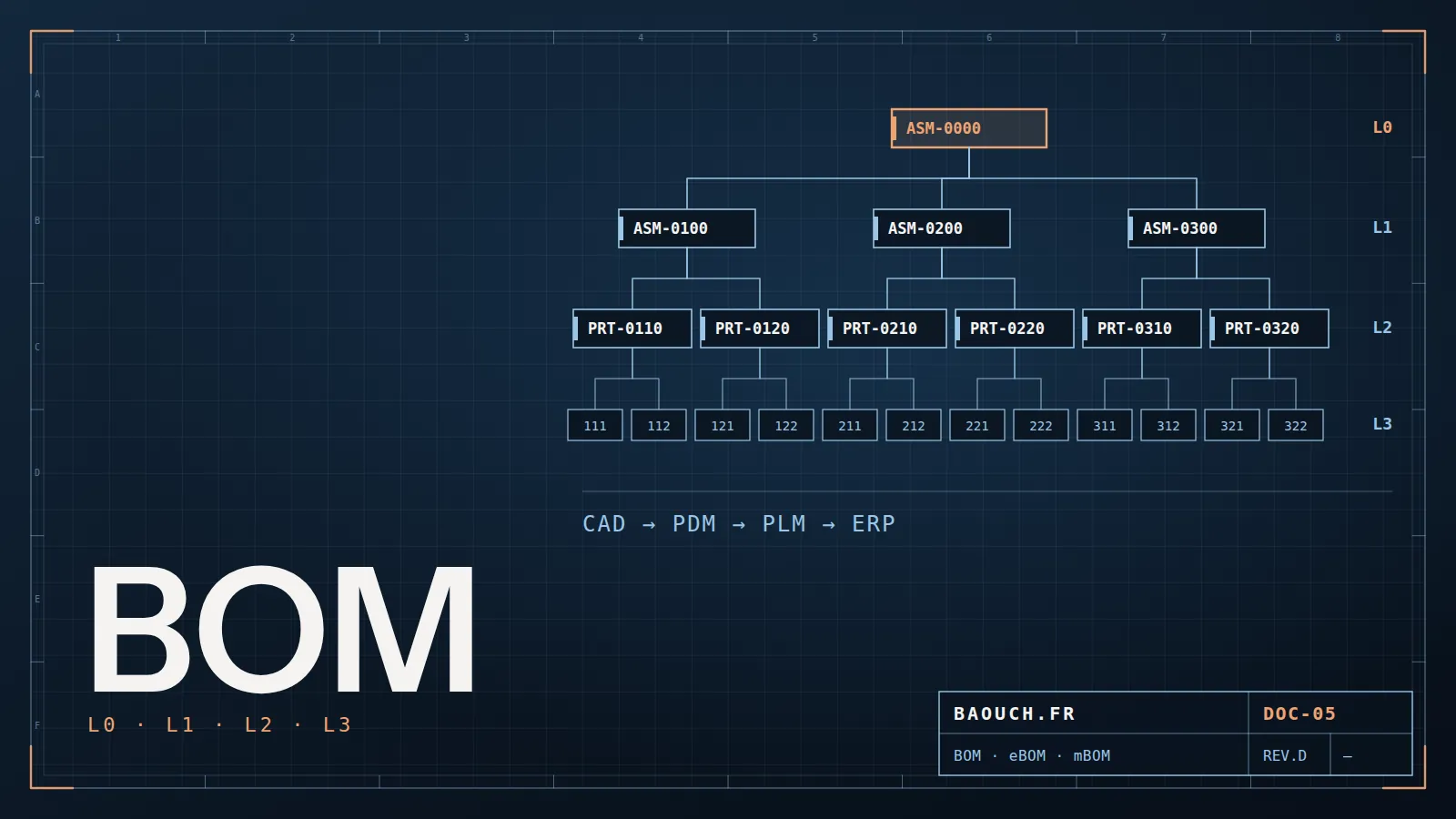
The BOM (bill of materials) is the structured list of every component, sub-assembly and raw material needed to make a product. It is the pivot document between engineering, production and purchasing.
It is not a mere inventory. It encodes the parent-child relationships between parts: a hydraulic cylinder is a sub-assembly containing a body, a piston, seals and screws. Deleting a line or getting a quantity wrong can stop a production line or trigger a product recall.
A typical example: a wrong quantity on a single line of an Excel BOM, never synchronised between engineering and production, is enough to order twelve times too many of a part. The surplus then sits in stock for months.Mohamed Omar Baouch
Basic attributes
- Part number (internal reference)
- Description
- Quantity and unit of measure
- Level in the structure (level 0 = finished product, level 1 = sub-assemblies…) — see multi-level, indented and summarized BOM
- Status (in work, released, obsolete)
Extended attributes
- Supplier and supplier part number
- Standard cost / actual cost
- Revision
- Linked documents (drawing, spec, DFM)
- Links to CAD files (SLDPRT, SLDASM…)
There are several types of BOM, depending on the product stage and on who uses it:
The first two — eBOM and mBOM — account for most of the difficulties in industrial SMEs. Turning one into the other is often the most underestimated part of a PDM/ERP project.
Which tool to manage your BOMs? Spreadsheet, ERP, PDM, PLM or dedicated tool: the 5 software families and how to choose in Which BOM management software?
2. eBOM vs mBOM: two views of the same product
The eBOM and the mBOM describe the same product from radically different angles. Mixing them up, or not planning the transformation from one to the other, is one of the most common sources of friction between engineering and the shop floor.
eBOM — Engineering BOM
- Created by engineering
- Reflects the functional structure of the product as designed
- Organised by function (hydraulic module, electrical module…)
- Linked to CAD files (SOLIDWORKS, Creo, CATIA…)
- Managed in PDM or PLM
- Versioned with revisions
mBOM — Manufacturing BOM
- Created by manufacturing engineering
- Reflects the actual assembly sequence
- May split or merge eBOM levels to match workstations
- Contains phantom items, kits and operations
- Managed in the ERP (SAP, Sage, Cegid, IFS…)
- Drives work orders and purchasing
The eBOM → mBOM transformation is rarely automatic. It needs a structural transformation step: parts disappear (blank → machined part), operations are added, levels are reorganised to follow the routings.
The same product can have a 4-level eBOM and a 7-level mBOM — or the other way round. That is not a bug: it is the reality of two trades with different needs.
Go further: the same valve described in engineering (9 lines) and in manufacturing (17 lines), gap by gap, in eBOM vs mBOM: the real difference, with a line-by-line example.
3. PDM: keeper of CAD data and the eBOM
PDM (product data management) is a system that manages the technical data coming out of CAD. Its main job is to store, version and secure the SOLIDWORKS files, drawings and custom properties, and to extract the bill of materials (eBOM) from them automatically.
What a PDM does
- CAD data vault with access rights
- Versioning and revisions (A, B, C…)
- Automatic eBOM extraction from CAD assemblies
- Lifecycle states (In work / Released / Obsolete)
- Approval workflows (drawing sign-off)
- Multi-site replication for distributed companies
- Cold storage of historical data
What a PDM doesn't do
- Manage product changes (ECO/ECR) formally
- Run projects or milestones
- Manage costs or procurement
- Track product configuration across variants
- Orchestrate exchanges between engineering, manufacturing engineering and production
The most widespread PDM solutions in industrial SMEs:
- SOLIDWORKS PDM Standard / Professional — the most common choice in SOLIDWORKS design offices
- PTC Windchill PDMLink — paired with Creo, aimed at large companies
- 3DEXPERIENCE platform (Dassault Systèmes) — PDM built into a full PLM environment
- Autodesk Vault — for Inventor design offices
Core principle: a well-configured PDM produces a clean, versioned eBOM. It is the raw material that PLM governs and ERP consumes. Without PDM, the eBOM lives in Excel files, and everything downstream is fragile.
4. PLM: orchestrating the lifecycle
PLM (product lifecycle management) is a strategy as much as a system, covering a product's whole lifecycle: from idea to end of life. It includes PDM, but goes much further.
Where PDM focuses on data (files, eBOM, states), PLM focuses on the processes that change that data.
What a PLM does
- Formal change management (ECR / ECO)
- Configuration management (which version is with which customer)
- Product project management (milestones, deliverables, resources)
- Multi-discipline integration (mechanical, electrical, software)
- Qualification and validation (DFMEA, DVP, test plans)
- Requirements management (traceability from requirements to design)
- Supplier portal (sharing CAD data with subcontractors)
PLM solutions on the market
- 3DEXPERIENCE (Dassault Systèmes) — PDM + PLM + collaboration
- PTC Windchill — a reference in aerospace and defence
- Siemens Teamcenter — automotive and aerospace
- Arena PLM / Propel — electronics and tech SMEs
- OpenBOM, Aligni — lightweight PLM for hardware startups
In practice, the line between PDM and PLM is often blurred. Many SMEs only have a PDM (SOLIDWORKS PDM) and call it "their PLM". That is not wrong in day-to-day use, but you need to know what is missing: formal change management, configuration traceability and the link with projects.
PDM tells you what you designed and when. PLM tells you why it differs from the previous version, who approved the change, and which machines in service are affected.Mohamed Omar Baouch
5. ERP: the mBOM in production and purchasing
ERP (enterprise resource planning) runs the business as a whole: finance, HR, purchasing, inventory, production, logistics. Here, what matters is the manufacturing module (MRP) and the management of manufacturing bills of materials.
The ERP consumes the mBOM to:
- Create work orders with the required components
- Trigger purchase orders from net requirements (MRP run)
- Calculate product cost (standard cost × BOM quantities)
- Manage inventory by backflushing components as each work order is issued
- Record production traceability (lot number, serial number)
Common ERPs in French manufacturing
- SAP S/4HANA / SAP Business One — large and mid-size companies
- Sage X3 / Sage 100 — industrial SMEs, very widespread
- Cegid XRP Flex — SMEs, often linked to SOLIDWORKS PDM through the Gateway
- IFS Applications — discrete manufacturing, aerospace
- Odoo — SMEs and industrial startups (open source)
- Sylob — ERP dedicated to manufacturing
What the ERP doesn't do on the product side
- Manage CAD files or drawings
- Version parts by engineering revision
- Run engineering approval workflows
- Understand the functional structure (eBOM)
- Manage formal ECOs/ECRs
The ERP is unforgiving about mBOM quality. A wrong quantity in the ERP BOM means wrong inventory, a wrong product cost, and possibly a stopped production line. That is why PDM → ERP synchronisation (through a connector or the PDM Gateway) is one of the most critical pieces of the whole product data chain.
Getting the BOM into the ERP without re-keying: re-keying, pivot file, connector or managed transformation — the 4 architectures compared in Connecting the BOM to the ERP (BOM–ERP integration).
6. How PDM, PLM and ERP connect
The three systems are not independent silos. They exchange data both ways, and that is precisely where companies struggle most.
The main flow: PDM → ERP (eBOM → mBOM)
This is the most common flow. Each time a BOM is released in the PDM, the data must reach the ERP to create or update the manufacturing BOM. In SMEs this transfer is rarely automatic: it is still often done by hand, through Excel exports.
The available integration mechanisms:
- PDM Gateway (SOLIDWORKS PDM Professional) — native connector to SAP, Sage, Cegid and other ERPs via XML/CSV
- REST API / web services — for custom integrations
- EAI middleware (Boomi, MuleSoft, Talend) — for complex multi-site architectures
- Manual CSV export/import — still very common in small SMEs
The PLM → ERP flow: product changes
When a product change (ECO) is approved in the PLM, it must trigger a coordinated update: a new revision in the PDM and an updated mBOM in the ERP. This is where BOMs drift apart if the processes are not formalised.
The ERP → PLM flow: feedback from the shop floor
Less known but crucial: production feedback (scrap, component substitutions, non-conformities) must flow back to the PLM to trigger formal changes. Without that loop, the design stays frozen on a reality that has moved on.
Target architecture (SMEs > 50 people)
- PDM = source of truth for CAD data + eBOM
- PLM = governance of changes and configuration
- ERP = production, purchasing and costing through the mBOM
- Automated PDM → ERP connector on release
- Formal ECO process between PLM and ERP
Common architecture (SMEs < 50 people)
- PDM = SOLIDWORKS PDM Standard (vault + basic eBOM)
- No dedicated PLM — ECOs by email or in meetings
- ERP = Sage or Cegid, BOM keyed in by hand
- PDM/ERP sync = weekly CSV export
- Recurring BOM discrepancies, found on the shop floor
7. What happens when nothing is aligned
These are the recurring symptoms you see when PDM, PLM and ERP do not speak the same language:
In engineering
- Several versions of the same part in circulation with no revision control
- CAD BOMs that differ from ERP BOMs for no known reason
- Engineers "backing up" drawings to shared network folders alongside the PDM
- Time lost looking for the right version of a file
In production and purchasing
- Purchase orders on obsolete part numbers
- Components in stock that are never used (ERP BOM not updated)
- Line stoppages for missing parts not planned in the BOM
- Product cost calculated on a BOM that no longer matches the real product
These failures have a direct cost that is rarely measured: useless stock, rush purchases, line stoppages, wrong product costs, and engineering time spent reconciling lists instead of designing.
The good news: in most cases the data is not lost. It exists in the PDM, in the ERP, sometimes in Excel. The work is to find the gap, define the source of truth and set up the synchronisation. It is a step-by-step job, not a revolution.Mohamed Omar Baouch
Where to start?
- Check the state of your PDM — is the generated eBOM clean, up to date, with standardised properties?
- Compare the PDM eBOM with the ERP mBOM on a representative product — measure the gap
- Formalise a change process — even a simple one, even without a dedicated PLM tool
- Automate the PDM → ERP flow if the volume justifies it (PDM Gateway or a structured export script)
- Share a common vocabulary — engineering, manufacturing engineering and supply chain must speak the same BOM language
Key indicator: count the active BOMs in your ERP whose revision does not match the latest released revision in the PDM. That number alone is enough to justify — or not — a synchronisation project.
Need a starting point? A free multi-level Excel BOM template, no sign-up: drop-down lists, flagged duplicates, calculated masses.
Frequently asked questions
What's the difference between eBOM and mBOM?
The eBOM is the engineering bill of materials: the structure as the product is designed. The mBOM is the manufacturing one: the same content seen as it is actually assembled, with consumables, routings and intermediate assemblies. The two always differ, and believing otherwise is the source of most gaps between engineering and production.
Should the BOM come from CAD or from the ERP?
The eBOM comes from design, the mBOM is built on the methods side. What matters isn't the originating tool but the rule: one system is authoritative for each BOM, and the direction of flow is written down. Two systems correcting each other always end up diverging.
How do you avoid BOM errors?
By removing manual entry wherever possible: properties controlled at source, closed lists, automatic extraction from the model. A BOM retyped into Excel is a BOM that will diverge — the only question is when.
Do you need a PLM to manage BOMs?
Not necessarily at the start: a well-configured PDM and clean properties already cover the eBOM. PLM becomes useful when the mBOM, variants and changes must be managed together, across several departments.
Bill of materials (BOM) series — the site's nine articles on the BOM, from the concept to the ERP:
- Bill of materials (BOM): definition, types, roles of PDM, PLM and ERP (this page)
- Multi-level, single-level, indented or summarized BOM
- eBOM vs mBOM: the difference, with an example
- BOM to ERP integration: the 4 architectures
- BOM management software: how to choose
- Free multi-level BOM Excel template
- Part numbering and properties: where a correct BOM starts
- ECR / ECO: controlling BOM changes
- PDM / PLM glossary: eBOM, mBOM, revision, vault…