STEP, IGES, Parasolid, JT, STL: which CAD exchange format to choose — and how to avoid losses
Published 14 September 2026 — what each format actually carries, what vanishes along the way, the six traps that produce the unusable files I spend my days repairing, and the five-point checking protocol to apply before sending anything to a customer.
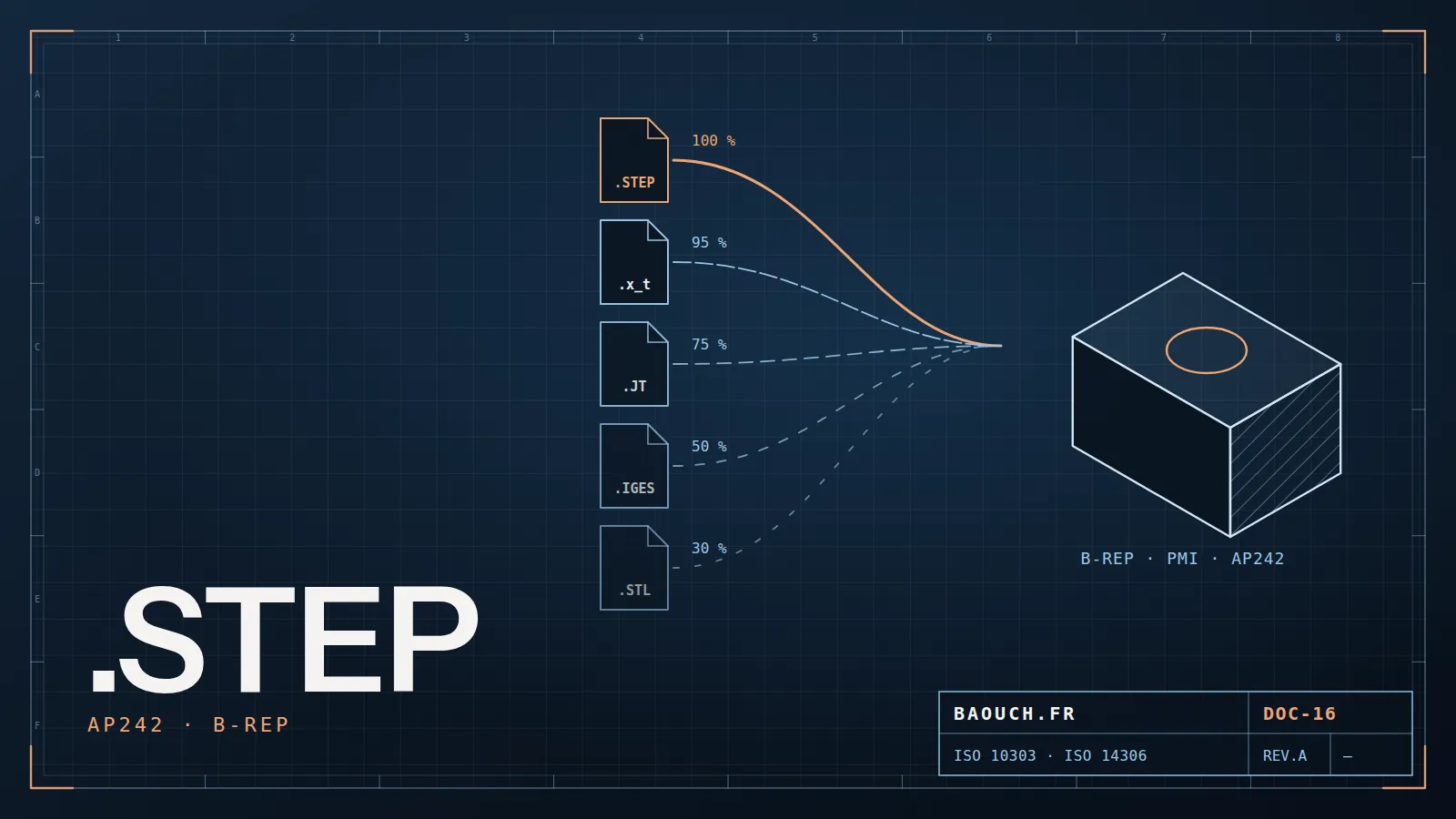
The short answer, by use case
The rule that sums it up: ask for native if you must modify, STEP AP242 if you must manufacture, a lightweight format if you only need to look. Three quarters of exchange problems come from a format chosen for the wrong purpose.
1. Native or neutral: what you really lose
A native file holds all of your work: the geometry, but also the feature tree, parameters, sketch relations, configurations and custom properties. It's the living model — the one you can change by editing a dimension.
A neutral format carries the result, not the recipe. You get an exact solid, but no history: you can't "edit the extrude", there is no extrude any more. The jargon calls it a dumb solid, and that's exactly right. Edits then happen through direct modelling: offset a face, remove a hole, add material — workable and sometimes enough, but no longer parametric.
The practical consequence is simple and applies across every tool: if someone must continue the design, send native; if someone must manufacture, neutral is enough. It's also why switching modellers isn't solved by a mass export, as I explain in the CAD software comparison.
2. STEP: AP203, AP214, AP242 — which one to ask for
STEP is ISO 10303, and it is the reference exchange format of mechanical industry. The point almost nobody checks: "STEP" alone does not describe what you're receiving. There are several application protocols, and they don't carry the same things.
AP242's major contribution is PMI: tolerances, surface finishes and datums travel with the model, in a form software can exploit — no longer only on an attached drawing. That's the foundation of MBD (model-based definition), and what makes an exchange genuinely readable by a measuring machine or quality control.
When a client tells me "I sent you a STEP", my first question is always: which one? Between a colourless AP203 and an AP242 carrying tolerancing, it isn't the same deliverable — and sometimes not the same project.Mohamed Omar Baouch
3. Parasolid and ACIS: the direct route when kernels match
Under every modeller runs a geometric kernel, the engine that actually computes solids. Parasolid (Siemens) powers SOLIDWORKS, Solid Edge, NX and Onshape among others; ACIS and its derivatives sit inside other tools.
When both tools share the kernel, exporting to Parasolid (.x_t text, .x_b binary) means handing over the internal representation with no intermediate translation. The result: no approximate rebuild, no surface refusing to stitch, and often an instant import where a STEP needs cleaning. It's the reflex between two compatible tools — and an excellent plan B when a STEP arrives damaged.
The limit: it's a vendor format, not an ISO standard. For long-term archiving and contractual exchanges, STEP remains the right choice.

4. IGES, JT, STL, 3MF, DXF, 3D PDF: each in its place
- IGES — the ancestor, inherited from the 1980s. It carries surfaces, often unstitched, producing those fragmented imports you must repair by hand before getting a solid. Use it only if your counterpart genuinely can't read anything else.
- JT (ISO 14306) — a lightweight visualisation and review format, widespread in automotive. Lets very large assemblies circulate without distributing exact geometry.
- STL — a triangle mesh, nothing more: no units, no colours, no precision beyond the mesh resolution. Perfect for 3D printing, wrong for everything else. Receiving an STL to machine a part is a bad sign.
- 3MF — STL's modern successor: it carries units, colours and materials. Prefer it as soon as your printing chain accepts it.
- DXF / DWG — 2D. Essential for sending a sheet-metal flat to laser cutting or punching, and for layout drawings. Always check units and scale, a costly source of errors.
- 3D PDF — underrated: a model you can manipulate in a plain PDF reader, ideal for a review with non-specialists, a purchasing department or an end customer.
5. The 6 traps that break imports
Almost every unusable file I receive falls into one of these six cases:
- Units. A model in inches imported as millimetres, or the reverse, yields a part off by 25.4 — sometimes plausible enough to slip through until machining. Always check one known dimension after import.
- Stitching tolerance. Each tool has its own precision; surfaces considered contiguous on one side no longer are on the other, and the solid refuses to close. It's the number-one cause of "solids that stay surfaces".
- Exploded assemblies. Depending on format and export options, an assembly arrives either structured, or fused into a single body, or scattered. STEP can preserve the structure — provided the right option is ticked.
- Multi-body parts. A multi-body part exported carelessly can come back as a single merged volume, making sheet-metal unfolding or machining impossible to resume.
- Lost colours and metadata. AP203 carries no colours; custom properties — material, description, revision — almost always vanish. Yet those are exactly what feed your BOM.
- Geometry degraded on export. Very small fillets, tangent surfaces, coincident edges: translation sometimes produces tiny faces or holes invisible to the eye, which will block machining later.
6. The 5-point checking protocol, before you send
This check takes two minutes and prevents weeks of misunderstanding. I do it systematically, and I get it installed as a rule at my clients':
- Reopen your own export in a fresh session, as if you were the recipient. It's the only check that truly catches everything.
- Compare volume or mass against the original model. Any gap immediately flags a units, stitching or missing-body problem.
- Check the count of bodies and components: a 47-part assembly must arrive with 47 parts.
- Measure one known functional dimension — a hole spacing, a bore diameter. Two seconds, and you're covered on scale.
- Attach whatever the format doesn't carry: material, treatment, general tolerances, revision level. A PDF of the drawing always usefully accompanies a 3D file — unless you work in AP242 with PMI and your recipient can exploit it.
7. An exchange file is a deliverable: it has a revision
This is the point I defend on every assignment, and the one that costs most when ignored. A STEP dropped on a file share, named final_part_V2_ok.step, with no revision level or traceability, is a time bomb: in six months nobody will know whether it matches the revision that was manufactured.
The three rules to set, which cost nothing:
- The exported file carries the part number and revision of the source item, not an improvised name — the foundation of any healthy numbering scheme.
- The export is generated from the approved version, not from the workstation of whoever was modelling that morning. That's exactly what a PDM vault guarantees automatically.
- Every shipment is traced: who, what, when, which revision. The day a non-conformance dispute arises, that trace is worth a lot — and it follows the same logic as change requests.
8. FAQ
What's the difference between STEP AP203, AP214 and AP242?
AP203 carries solid geometry and assembly structure, without colours. AP214 adds colours, layers and some properties. AP242 merges both and additionally carries model-based tolerancing (PMI) and metadata: it's the protocol to ask for by default today.
Why does my STEP import give surfaces instead of a solid?
Because the surfaces won't stitch: the gaps between faces exceed the receiving tool's tolerance. Try stitching with a looser tolerance, ask for a Parasolid export if the kernels match, and as a last resort have the export regenerated from the native file — often faster than repairing.
Can you recover the feature tree from a STEP file?
No. Some tools offer feature recognition that recreates holes or simple extrudes, but that isn't your original tree: it's an interpretation. If you must continue the design, insist on the native file.
Which format should I send to a machining subcontractor?
STEP AP242 for the geometry, together with a PDF of the drawing for material, treatments and tolerances — unless your chain is genuinely MBD on both sides. Never STL for machining.
STL or 3MF for 3D printing?
3MF as soon as your chain accepts it: it carries units, colours and materials, where STL is just a bare mesh. STL remains the universal common denominator, nothing more.
Should I archive in native or STEP?
Both. Native so you can resume the design while you still have the software; STEP plus a PDF of the drawing so it stays readable in twenty years, whatever your tools are by then. It's the rule I apply in every data migration.
The one-line summary: native to modify, STEP AP242 to manufacture, lightweight to look — and always reopen your own export before sending it.Mohamed Omar Baouch